03 / 10 Chrome 拡張機能 効率化ツール
ワンクリックで Web ページを長画像・PDF・Word に保存
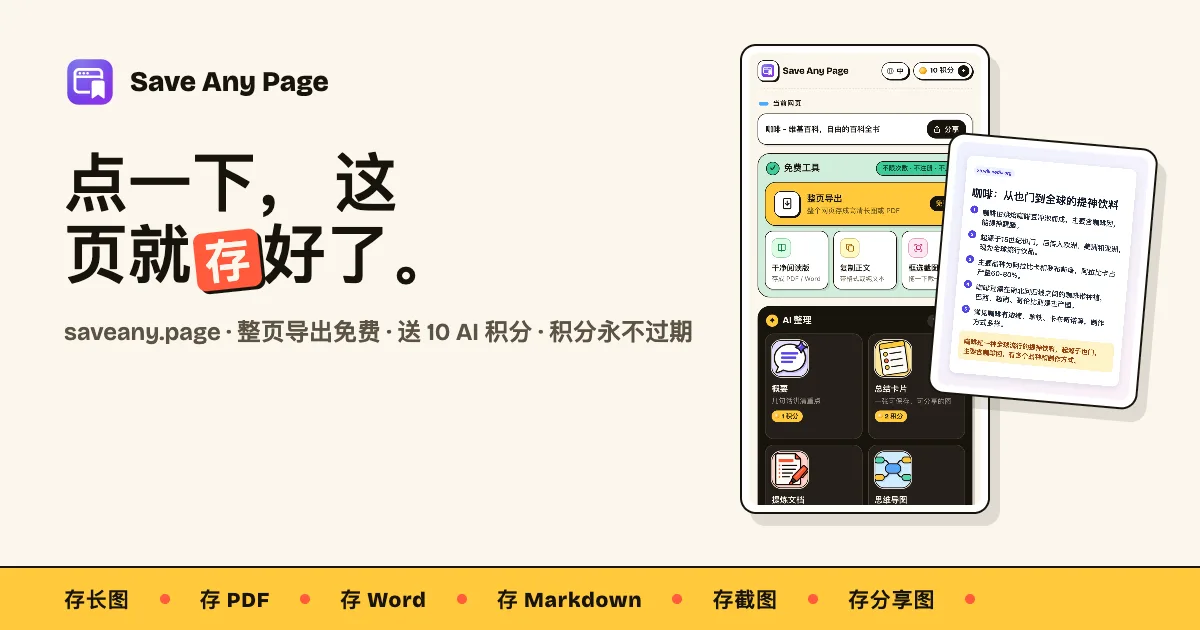
アイコンをクリックするだけで、ページ全体を一枚の長い画像や A4 の PDF にまとめられます。広告やサイドバーを除き、本文だけを PDF・Word・Markdown で保存したり、QR コード付きのシェア画像を作ったりすることも可能。長文を読む時間がないときは、AI が要点を抽出してまとめカードや XMind に読み込めるマインドマップを作成します。無料機能はすべてローカルで動作し、登録は不要です。
公式サイトの紹介文 · Save Any Page is a Chrome extension that exports any web page as a full-page image or PDF, saves the article as PDF, Word or Markdown, and shares the page as a clean image with a QR code — all for free. It also lists every image, link and file on a page, sorted into official sites, social accounts and external links, and downloads the images as a zip. It uses AI to turn the page into a summary, a shareable summary card, a condensed PDF document or a mind map you can open in XMind. It works in a side panel next to the page, needs no account and no API key, and works in English, Chinese, Japanese, Spanish and German.
- 対象
- Web ページをよく保存する人、長文を読む人
- 言語
- 日本語 / English / 中文 / Español / Deutsch
- モデル
- 基本機能は無料 · AI は従量課金のクレジット制 · サブスクなし